
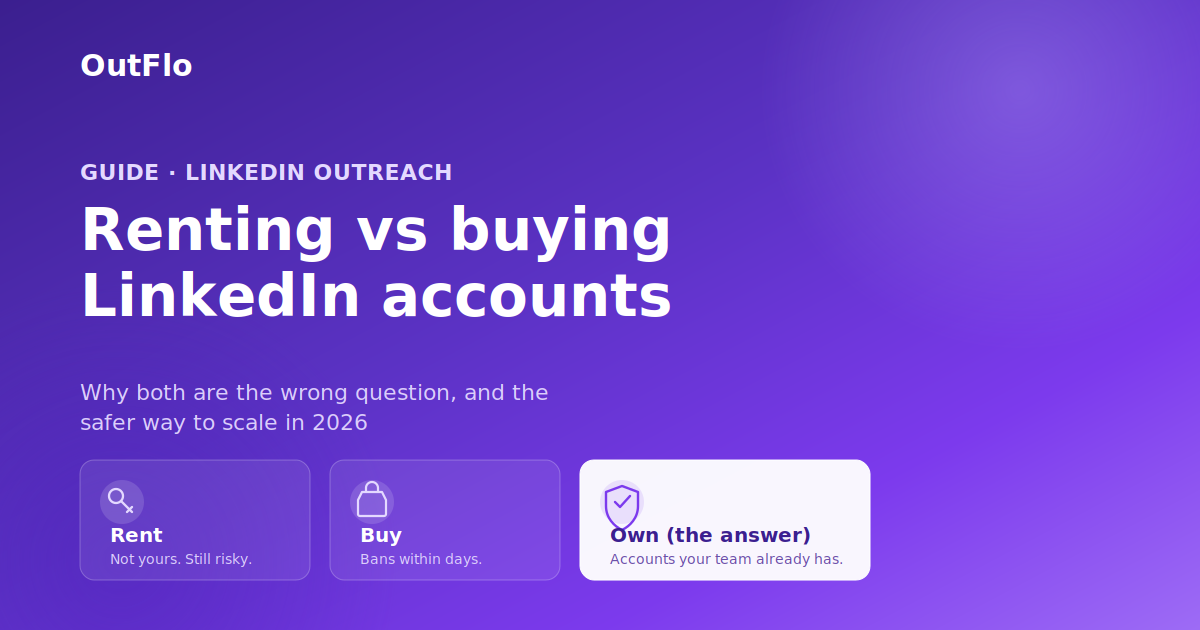
Renting and buying LinkedIn accounts are two answers to a real problem: one profile can safely send only around 100 connection requests a week, which is nowhere near enough for serious B2B outreach. Buying means purchasing aged or verified accounts outright; renting means paying a monthly fee to operate someone else's warmed profile. Both violate LinkedIn's terms of service, both carry real ban risk, and both put accounts that are not truly yours at the center of your pipeline. The honest answer for most teams is neither. This guide breaks down what each option actually involves, where both quietly fail, and the safer path that gets you the same multi-account volume without gambling your outreach on borrowed or purchased profiles.
Why people look for this in the first place
The starting point is legitimate. A single LinkedIn profile, even a founder's, hits a ceiling fast. LinkedIn caps connection requests at roughly 100 a week for most accounts, and pushes hard against anything that looks like automation at volume. For a team trying to build real pipeline, one profile is a rounding error.
So founders go looking for more accounts, and the internet offers two obvious answers: buy them or rent them. Both promise the same thing, more sending capacity than your single profile allows. The problem is not the goal. It is that both routes to it are built on accounts you do not really own and LinkedIn does not want you using.
What buying a LinkedIn account actually involves
Buying usually means one of three things: a phone-verified account from a bulk seller, an aged account with existing connection history from a marketplace, or an ID-verified account from a specialized vendor. The pitch is always the same. Pay once, own it forever, no recurring fees.
Here is what the neutral analysis actually shows. Buying or selling LinkedIn accounts directly violates LinkedIn's User Agreement, which prohibits account transfers, and purchased profiles are routinely flagged, restricted, or permanently banned. The mechanism is specific: when an account that has logged in from one city for two years suddenly appears from a new device, a new IP, and completely different behavior, LinkedIn's fraud models flag it, often within days. The account's age does not save it, because the behavioral fingerprint no longer matches.
Two things make it worse than it first looks. First, the market is full of scams. One 2026 review of nine vendors concluded that the large majority sell either fake credentials or freshly generated accounts that get banned within 24 to 72 hours, and some "aged" accounts are resold to multiple buyers or reclaimed by their original owner. Second, and most dangerous, LinkedIn does not just ban the account you bought. If it detects any link between that profile and your real one, shared device, overlapping cookies, the same login environment, it can restrict everything at once. The account with years of your real connections and conversations goes down with the purchased one.
When a bought account dies, there is no support ticket, no replacement, no recovery. The seller has your money and you have nothing.
What renting a LinkedIn account involves
Renting is the more sophisticated version, and it has matured into something marketed as infrastructure-as-a-service. Vendors maintain a pool of real, warmed profiles, some ID-verified, with connection and posting history, and rent them to you with dedicated proxies, an antidetect browser configuration, integration help for automation tools, and a replacement guarantee if an account goes down.
It is more stable than buying, and the honesty stops there. Rental sits in exactly the same grey zone. You are operating a profile that is not yours, which is still against LinkedIn's terms, and the platform's detection keeps improving. Even professional rental operations quote ban rates around 5% and openly promise replacements precisely because restrictions are a routine cost of the model. During LinkedIn's 2025 crackdown, some agencies reported losing a meaningful share of rented accounts in a single quarter, with full infrastructure in place.
It is also expensive. Market rates in 2026 run roughly $115 to $175 per profile per month, dropping toward $125 to $130 at higher volumes. For ten profiles, that is well over a thousand dollars a month, indefinitely, for accounts you will never own and can lose at the platform's discretion.
The flaw both options share
Strip away the pricing and the pitch, and buying and renting have the identical core problem: neither account is really yours, and LinkedIn's entire trust model is built on accounts being operated by their real owner.
Every workaround, the proxies, the antidetect browsers, the warm-up routines, exists to convince LinkedIn that a borrowed or purchased account is being used normally. That is a fight against a detection system that gets smarter every quarter, and it is a fight you have to keep winning forever, on every account, or lose the account. Building your pipeline on that foundation means building it on infrastructure designed to look legitimate rather than to be legitimate.
The reference version of this article usually ends with a "third option" that is really just renting by another name: hiring so-called fractional SDRs whose profiles you operate through a marketplace. It is the same trade, a profile you do not own, dressed up differently.
There is a genuinely different answer.
The safer path: use the real accounts your team already owns
The accounts you never have to warm up, proxy, or fear losing are the ones your team already has. Your co-founder has a LinkedIn profile. So does each of your SDRs, your account executives, and often your clients. Those are real accounts, with real history, operated by their real owners from their own normal environments. LinkedIn sees legitimate activity because it is legitimate activity.
Neutral 2026 analysis lands in the same place. When reviewers list the actually-safe ways to scale beyond one profile, they name building your own brand, employee advocacy where team members use their own profiles with company support, and working with real people on their own accounts, not buying or renting. Five real profiles, each running a healthy, safe volume, gives you the multi-account capacity you were trying to buy, with none of the ban-and-lose-everything risk.
The only thing missing has been the software to run all those real accounts together without turning it into a management nightmare. That is the layer OutFlo provides.
Where OutFlo fits
OutFlo is built for exactly this: running the real LinkedIn accounts your team already owns, together, at scale. To be clear about the boundary, OutFlo does not rent, sell, or provide LinkedIn accounts, and it never will. You connect the profiles your team already has.
Each account connects through the extension using its owner's real LinkedIn session, with no password handoff, and then runs from the cloud on a dedicated residential IP geolocated to that owner, so the activity stays consistent with how that person normally uses LinkedIn. Multi-Account Campaigns run outreach across all of those real accounts from one workspace, each within safe daily limits, and Smart Auto-Increase ramps a newly connected account's volume gradually rather than spiking it. Every reply from every account lands in one Unified Smart Inbox, tagged by intent, so five real senders do not become five inboxes nobody checks. And AI Personalization writes each message from the prospect's live profile and recent activity, so the outreach is personal as well as safe.
The result is the multi-account volume that sent people looking at rental and purchase in the first place, built on accounts that are genuinely yours, that LinkedIn has no reason to flag, and that you cannot have pulled out from under you by a vendor or a crackdown.
Start your free OutFlo trial · 8-day free trial, no credit card, connect an account in about a minute.
The real recommendation for 2026
If you are deciding between renting and buying LinkedIn accounts, step back and notice that both answers accept the same risky premise, that you need accounts you do not own. Buying is a false economy that ends in bans and scams. Renting is a steadier but permanent expense for profiles that are never yours and can still disappear in a crackdown. The teams getting durable results in 2026 are not choosing between those two. They are connecting the real accounts their team already has and running them together, safely, from one place. That is the version of scale that does not depend on gaming LinkedIn's systems, and it is the one worth building on.
8-day free trial · No LinkedIn password · One-minute setup
FAQ
Common questions
Renting and buying LinkedIn accounts are two answers to a real problem: one profile can safely send only around 100 connection requests a week, which is nowhere near enough for serious B2B outreach. Buying means purchasing aged or verified accounts outright; renting means paying a monthly fee to operate someone else's warmed profile. Both violate LinkedIn's terms of service, both carry real ban risk, and both put accounts that are not truly yours at the center of your pipeline. The honest answer for most teams is neither. This guide breaks down what each option actually involves, where both quietly fail, and the safer path that gets you the same multi-account volume without gambling your outreach on borrowed or purchased profiles. Why people look for this in the first place The starting point is legitimate. A single LinkedIn profile, even a founder's, hits a ceiling fast. LinkedIn caps connection requests at roughly 100 a week for most accounts, and pushes hard against anything that looks like automation at volume. For a team trying to build real pipeline, one profile is a rounding error. So founders go looking for more accounts, and the internet offers two obvious answers: buy them or rent them. Both promise the same thing, more sending capacity than your single profile allows. The problem is not the goal. It is that both routes to it are built on accounts you do not really own and LinkedIn does not want you using. What buying a LinkedIn account actually involves Buying usually means one of three things: a phone-verified account from a bulk seller, an aged account with existing connection history from a marketplace, or an ID-verified account from a specialized vendor. The pitch is always the same. Pay once, own it forever, no recurring fees. Here is what the neutral analysis actually shows. Buying or selling LinkedIn accounts directly violates LinkedIn's User Agreement, which prohibits account transfers, and purchased profiles are routinely flagged, restricted, or permanently banned. The mechanism is specific: when an account that has logged in from one city for two years suddenly appears from a new device, a new IP, and completely different behavior, LinkedIn's fraud models flag it, often within days. The account's age does not save it, because the behavioral fingerprint no longer matches. Two things make it worse than it first looks. First, the market is full of scams. One 2026 review of nine vendors concluded that the large majority sell either fake credentials or freshly generated accounts that get banned within 24 to 72 hours, and some "aged" accounts are resold to multiple buyers or reclaimed by their original owner. Second, and most dangerous, LinkedIn does not just ban the account you bought. If it detects any link between that profile and your real one, shared device, overlapping cookies, the same login environment, it can restrict everything at once. The account with years of your real connections and conversations goes down with the purchased one. When a bought account dies, there is no support ticket, no replacement, no recovery. The seller has your money and you have nothing. What renting a LinkedIn account involves Renting is the more sophisticated version, and it has matured into something marketed as infrastructure-as-a-service. Vendors maintain a pool of real, warmed profiles, some ID-verified, with connection and posting history, and rent them to you with dedicated proxies, an antidetect browser configuration, integration help for automation tools, and a replacement guarantee if an account goes down. It is more stable than buying, and the honesty stops there. Rental sits in exactly the same grey zone. You are operating a profile that is not yours, which is still against LinkedIn's terms, and the platform's detection keeps improving. Even professional rental operations quote ban rates around 5% and openly promise replacements precisely because restrictions are a routine cost of the model. During LinkedIn's 2025 crackdown, some agencies reported losing a meaningful share of rented accounts in a single quarter, with full infrastructure in place. It is also expensive. Market rates in 2026 run roughly $115 to $175 per profile per month, dropping toward $125 to $130 at higher volumes. For ten profiles, that is well over a thousand dollars a month, indefinitely, for accounts you will never own and can lose at the platform's discretion. The flaw both options share Strip away the pricing and the pitch, and buying and renting have the identical core problem: neither account is really yours, and LinkedIn's entire trust model is built on accounts being operated by their real owner. Every workaround, the proxies, the antidetect browsers, the warm-up routines, exists to convince LinkedIn that a borrowed or purchased account is being used normally. That is a fight against a detection system that gets smarter every quarter, and it is a fight you have to keep winning forever, on every account, or lose the account. Building your pipeline on that foundation means building it on infrastructure designed to look legitimate rather than to be legitimate. The reference version of this article usually ends with a "third option" that is really just renting by another name: hiring so-called fractional SDRs whose profiles you operate through a marketplace. It is the same trade, a profile you do not own, dressed up differently. There is a genuinely different answer. The safer path: use the real accounts your team already owns The accounts you never have to warm up, proxy, or fear losing are the ones your team already has. Your co-founder has a LinkedIn profile. So does each of your SDRs, your account executives, and often your clients. Those are real accounts, with real history, operated by their real owners from their own normal environments. LinkedIn sees legitimate activity because it is legitimate activity. Neutral 2026 analysis lands in the same place. When reviewers list the actually-safe ways to scale beyond one profile, they name building your own brand, employee advocacy where team members use their own profiles with company support, and working with real people on their own accounts, not buying or renting. Five real profiles, each running a healthy, safe volume, gives you the multi-account capacity you were trying to buy, with none of the ban-and-lose-everything risk. The only thing missing has been the software to run all those real accounts together without turning it into a management nightmare. That is the layer OutFlo provides. Where OutFlo fits OutFlo is built for exactly this: running the real LinkedIn accounts your team already owns, together, at scale. To be clear about the boundary, OutFlo does not rent, sell, or provide LinkedIn accounts, and it never will. You connect the profiles your team already has. Each account connects through the extension using its owner's real LinkedIn session, with no password handoff, and then runs from the cloud on a dedicated residential IP geolocated to that owner, so the activity stays consistent with how that person normally uses LinkedIn. Multi-Account Campaigns run outreach across all of those real accounts from one workspace, each within safe daily limits, and Smart Auto-Increase ramps a newly connected account's volume gradually rather than spiking it. Every reply from every account lands in one Unified Smart Inbox, tagged by intent, so five real senders do not become five inboxes nobody checks. And AI Personalization writes each message from the prospect's live profile and recent activity, so the outreach is personal as well as safe. The result is the multi-account volume that sent people looking at rental and purchase in the first place, built on accounts that are genuinely yours, that LinkedIn has no reason to flag, and that you cannot have pulled out from under you by a vendor or a crackdown. Start your free OutFlo trial · 8-day free trial, no credit card, connect an account in about a minute. The real recommendation for 2026 If you are deciding between renting and buying LinkedIn accounts, step back and notice that both answers accept the same risky premise, that you need accounts you do not own. Buying is a false economy that ends in bans and scams. Renting is a steadier but permanent expense for profiles that are never yours and can still disappear in a crackdown. The teams getting durable results in 2026 are not choosing between those two. They are connecting the real accounts their team already has and running them together, safely, from one place. That is the version of scale that does not depend on gaming LinkedIn's systems, and it is the one worth building on. Try OutFlo free Book a demo 8-day free trial · No LinkedIn password · One-minute setup
It is not a criminal matter, but both violate LinkedIn's User Agreement, which prohibits account transfers and sharing. The practical risk is not a lawsuit, it is account loss: purchased and rented accounts are routinely flagged, restricted, or permanently banned, and if LinkedIn links them to your real profile, that one can be restricted too.
Why do bought LinkedIn accounts get banned so fast?
LinkedIn's fraud models watch behavioral fingerprints, not just account age. When an account that logged in from one city and device for years suddenly appears from a new IP, a new device, and different activity patterns, it gets flagged, often within days. The account's age does not protect it once the fingerprint no longer matches its history.
Is renting LinkedIn accounts safer than buying them?
It is more stable, not actually safe. Rental vendors provide warmed profiles with proxies and antidetect browsers, which reduces churn, but you are still operating an account you do not own, which still violates LinkedIn's terms. Even professional rental operations quote ban rates around 5% and promise replacements because restrictions are a routine cost of the model.
How much does it cost to rent LinkedIn accounts in 2026?
Market rates run roughly $115 to $175 per profile per month, dropping toward $125 to $130 at higher volumes. For ten profiles that is well over a thousand dollars a month, ongoing, for accounts you will never own and can lose at LinkedIn's discretion or during a platform crackdown.
What is the safest way to scale LinkedIn outreach across multiple accounts?
Use the real accounts your team already owns. Your co-founder, SDRs, account executives, and clients all have real profiles with genuine history, operated by their real owners from their normal environments, so LinkedIn sees legitimate activity. Five real profiles each running a safe volume gives you the multi-account capacity people try to buy, without the ban-and-lose-everything risk. A tool like OutFlo runs those real accounts together from one workspace.
Does OutFlo rent or sell LinkedIn accounts?
No. OutFlo does not rent, sell, or provide LinkedIn accounts. It is software for running the real accounts your team already owns: you connect each profile through the extension using its owner's real LinkedIn session, and OutFlo runs campaigns across all of them from the cloud with a dedicated IP per account, a unified inbox, and AI personalization.
