
Lemlist vs OutFlo
A Lemlist alternative for teams that want LinkedIn-first outbound at scale
Lemlist is a broad multichannel platform. OutFlo is for teams that want multiple LinkedIn senders, one inbox and campaign context in a focused workspace.
Where should you start?
Choose your workflow to jump to the section that matters most.
You need one campaign to coordinate several client-facing LinkedIn senders.
01 · Channel fit
Lemlist starts with email. OutFlo starts with the LinkedIn operation.
Lemlist's Email plan is the base offer, while LinkedIn appears in the Multichannel plan alongside calling, SMS and WhatsApp options. That is useful when email is the primary motion and LinkedIn is one additional touchpoint.
OutFlo is a better fit when LinkedIn is the operating center and the hard problem is coordinating connected accounts, campaign capacity, replies and conversation context in one workspace.
Customer evidence
Lemlist customers felt LinkedIn was secondary to the email workflow.
Teams moved to OutFlo when LinkedIn became the main outbound channel and needed a platform built around it.
Lemlist customers · now using OutFlo
“LinkedIn is an add-on, not core, in the current tool.”
The point was not that Lemlist cannot run LinkedIn outreach. It is that LinkedIn sits inside a broader email-first system, while OutFlo makes LinkedIn the operating center with connected sender accounts, campaigns, conversations and next actions in one layer.
02 · Inbox scope
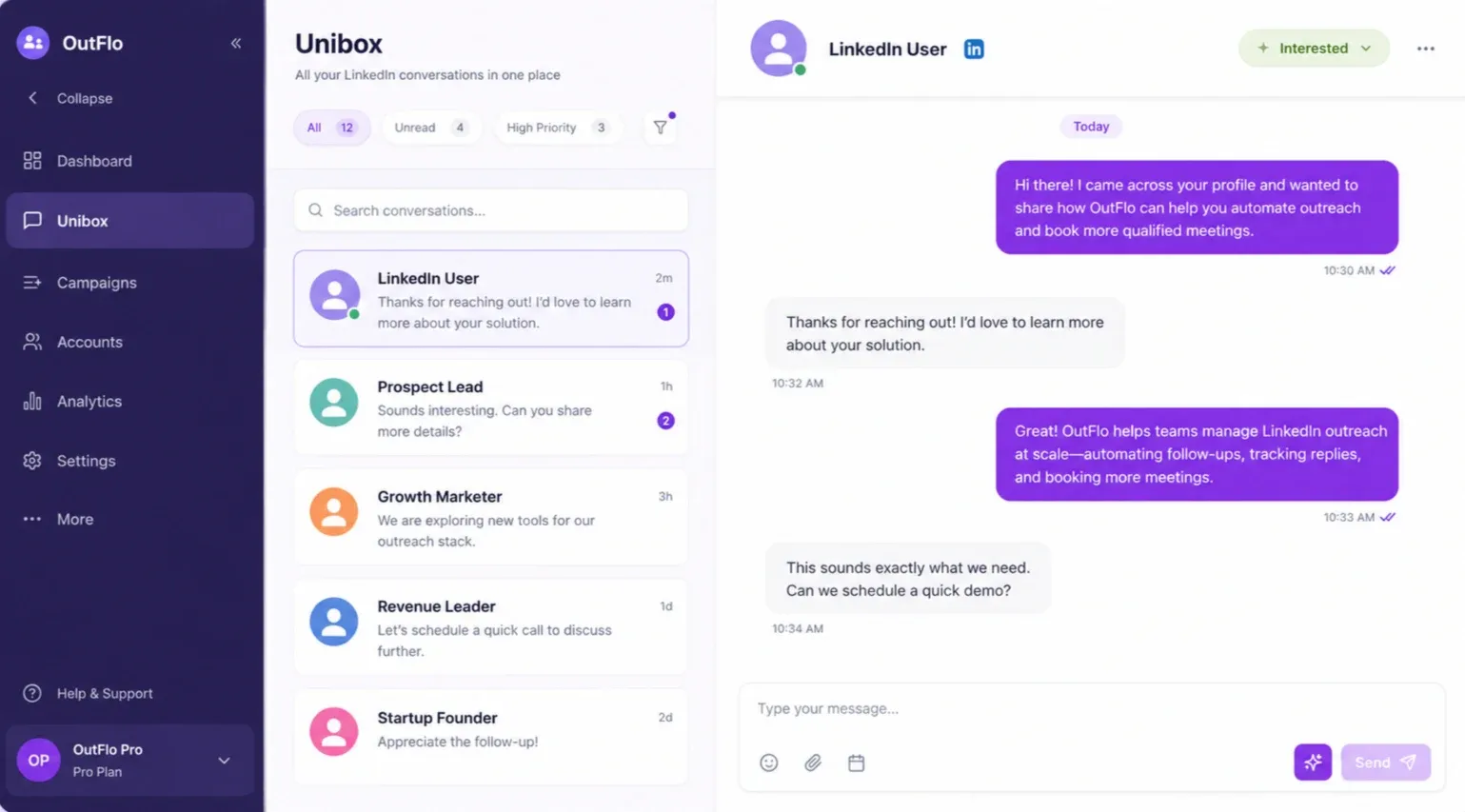
Put the LinkedIn conversation next to the campaign.
Lemlist includes a Unified Inbox for its outbound workspace, with coverage across the channels supported by the plan.
OutFlo's Unified Smart Inbox is designed around the broader LinkedIn conversation across connected sender accounts, with sender context, tags and AI-assisted reply handling close to campaign activity.
03 · Workspace operations
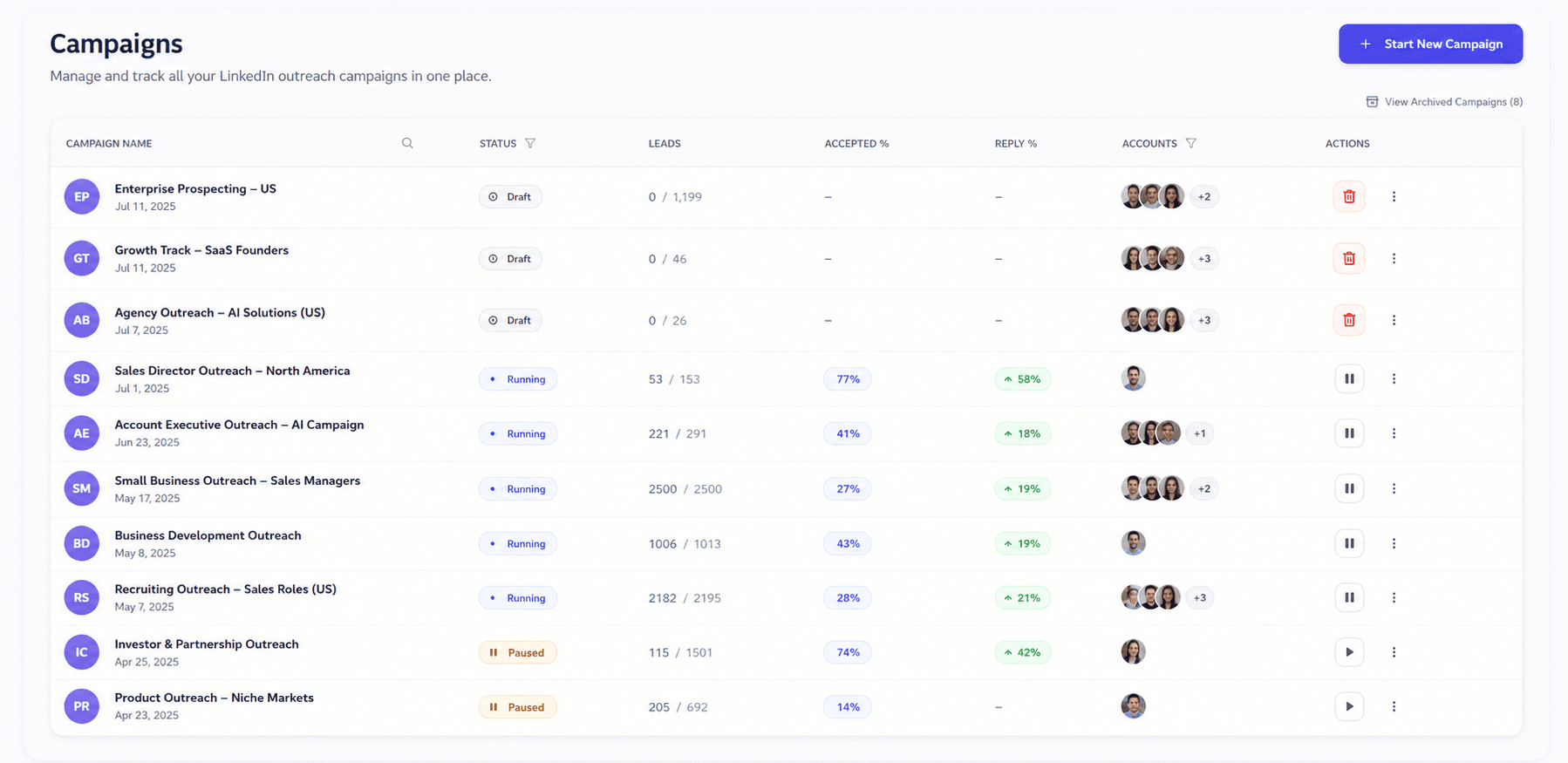
LinkedIn scale depends on how accounts are organized.
Lemlist's Multichannel plan lists five LinkedIn senders per user. That works for teams adding LinkedIn to a broader email-led sequence, while larger requirements move into Enterprise.
OutFlo keeps connected LinkedIn accounts, workspaces, campaigns, sender context and conversations in the same operating layer. Teams can separate client or business operations by workspace while managing account activity centrally.
04 · LinkedIn actions
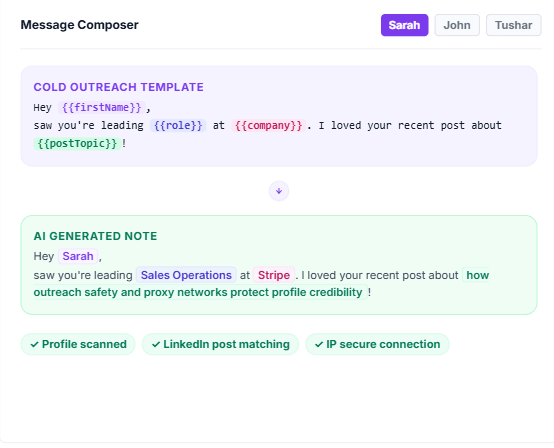
Post engagement should be part of the workflow, not a disconnected task list.
Lemlist supports automated “Like last post” actions. Its public documentation also describes AI-assisted “Comment last post” as a reviewable manual task, so teams approve the comment before it is published.
OutFlo can use LinkedIn actions inside Smart Sequences when enabled for the campaign, connecting the action to the lead’s state, the next branch, the inbox and the human handoff. The safe distinction is workflow context and control, not claiming that Lemlist has no post engagement.
05 · AI and data
Lemlist brings the data layer. OutFlo brings the live LinkedIn context.
Lemlist includes a 650M+ lead database, email and phone finding, enrichment, AI agents, signal-based variables and Smart Messaging. Those capabilities matter when sourcing and enriching prospects is part of the same buying decision.
OutFlo generates AI messages and reply drafts around the live LinkedIn conversation, then keeps the result available inside the shared inbox and connected assistant workflows. OutFlo also supports voice notes, although Lemlist documents voice-note upload through its API as well.
06 · MCP and integrations
The useful MCP comparison is operating context, not whether either product has MCP.
Lemlist documents MCP tools for campaigns, sequences, leads, enrichment, CRM, inbox, analytics, webhooks and account settings. It also provides API access and integrations.
OutFlo's MCP positioning should focus on the connected LinkedIn operating loop: inspect the campaign and lead history, understand sender and conversation state, diagnose performance, control the relevant workflow, and verify the next action from the same system.
07 · InMail
Free InMail can change the next step for open LinkedIn profiles.
Lemlist documents LinkedIn InMail as part of its LinkedIn outreach capabilities, but its public materials do not establish that the action is free or explain the exact eligibility and usage model.
OutFlo can position Free InMail only with the confirmed eligibility rules and account limits. When available, the workflow can use it as a defined branch instead of treating every lead as a connection-request path.
07 · Pricing
Compare the account model before the headline price.
Lemlist currently lists $69/month for Email and $109/user/month for Multichannel. LinkedIn automation is included in Multichannel, which also lists five LinkedIn senders per user. OutFlo uses connected LinkedIn accounts as the practical operating unit for a LinkedIn-first workspace.
OutFlo
$49
per account, per month
Lemlist one-account price
$109
per account, per month
Every connected LinkedIn account gets the same shared campaign, inbox and operating layer.
The useful comparison is how the model scales: connected accounts are the operating unit in OutFlo, while Lemlist uses its own plan, seat or sender structure.
| Connected accounts | Lemlist | OutFlo | What changes |
|---|---|---|---|
| 1 | $109/user/mo Multichannel | $49/month | Lemlist includes email, data and multichannel tooling; OutFlo is LinkedIn-first |
| 5 | $109/user/mo; 5 senders listed | $245/month | Lemlist bundles sender capacity by user; OutFlo prices connected accounts |
| 10 | 2 users at $218/month if five senders each | $490/month | Compare the channel mix and operating model, not price alone |
| 25 | Enterprise/custom | $699/month Booster ($27.96/account) | Booster tier for larger multi-account operations |
| 50 | Enterprise/custom | $999/month ($19.98/account) | Lower per-account cost at higher volume |
08 · Full comparison
OutFlo versus Lemlist
| Capability | OutFlo | Lemlist |
|---|---|---|
| Operating model | LinkedIn-first multi-account workspace with Unified Smart Inbox | Multichannel outbound platform built around email, LinkedIn and prospect data |
| Primary channel | LinkedIn campaigns across connected sender accounts | Email plus LinkedIn; SMS, calling and WhatsApp options vary by plan/add-on |
| Inbox | Full inbox sync across connected LinkedIn accounts | Unified inbox across the channels supported by the workspace |
| Account operations | Manage connected LinkedIn accounts from shared workspaces with sender-level context | Multichannel includes 5 LinkedIn senders per user; higher requirements move to Enterprise |
| Sequences | Smart Sequences branch on prospect behavior | Multichannel sequences with email and LinkedIn steps plus conditions |
| AI and context | AI messages, AI reply drafts, voice notes and contextual campaign work | AI agents, Smart Messaging and enrichment tools |
| MCP and automation | OutFlo MCP, API and workflow integrations | lemlist MCP, CRM integrations and API |
| Lead data | Import lists and searches; use the workflow around connected accounts | 650M+ lead database, email finder, phone finder and enrichment |
| Deliverability work | LinkedIn account controls and campaign limits | Mailbox connection, domain setup, warm-up and inbox placement |
| Usage costs | Account plan; activity remains subject to account and platform limits | Credits for enrichment, verification, AI features and calling |
| Monthly price | $49 per connected account per month; Booster bundles are available for 25, 50 or 100 accounts | $69 Email; $109 Multichannel per user per month |
| Best fit | Teams scaling LinkedIn outreach across multiple senders | Teams that want email-first or multichannel outbound and data discovery |
09 · The right fit
The best choice depends on where your outbound actually happens.
Choose OutFlo when LinkedIn is the center of outbound and you need multiple senders, one inbox, account-level operations, AI messages, contextual replies, voice notes and MCP workflows.
Choose Lemlist when email is central, you want lead discovery and enrichment in the same product, or your team needs a broader mix of email, LinkedIn, SMS, calling and WhatsApp workflows.
Also compare OutFlo with HeyReach, Dripify, and Linked Helper.
10 · Migration
Test the operating model before you move the whole motion.
Keep your Lemlist setup running, connect a few LinkedIn accounts to OutFlo, import the same lead list and run one controlled LinkedIn campaign. Compare reply handling, sender operations and the time spent keeping accounts moving.
Move the next account or workflow after the first test is stable. For email-first programs, keep the Lemlist email infrastructure where it creates value and use OutFlo where LinkedIn execution needs its own operating layer.
11 · Frequently asked questions
Before you switch
Lemlist is a broad multichannel outbound platform with email, LinkedIn, data discovery, deliverability tools and additional channels. OutFlo is LinkedIn-first and focuses its depth on multi-account campaigns, a shared LinkedIn inbox, sender operations, AI messages, replies and voice notes.
Run your LinkedIn campaign and conversations from one place.
Connect your senders to one cloud workspace, one inbox and one operating layer.
Every tool looks similar on paper.
Email, LinkedIn, sequences and an inbox are category basics. The meaningful differences show up when something changes after launch.
These are the moments that separate a multichannel stack from a LinkedIn operating layer.
Mailbox overhead
Lemlist asks the team to connect inboxes, domains and deliverability workflows. OutFlo concentrates the operating work on LinkedIn accounts.
02Channel ownership
Lemlist coordinates a multichannel sequence. OutFlo keeps the LinkedIn sender, campaign and conversation together.
03Data overhead
Lemlist brings enrichment and usage credits into the workflow. OutFlo lets teams keep their existing lead source and focus the workspace on execution.
04Reply context
Lemlist moves the next channel step forward. OutFlo keeps sender identity and live LinkedIn conversation history together.
05Founder support
OutFlo keeps a direct support path for teams that need a campaign reviewed, changed or unblocked.

The people you deal with
When you are the sender, support is part of the product.
For a founder running outreach under their own name, the difference is not another channel in a checklist. It is whether the campaign, inbox and account context stay understandable when something changes.
OutFlo gives teams a direct operating layer for LinkedIn accounts, with founder access for campaign reviews, copy changes and workflow decisions.
The smaller things
The operational differences show up after launch.
Inbox ownership
Lemlist gives a multichannel team one place to work. OutFlo keeps the LinkedIn sender, campaign and conversation together.
Message timing
Lemlist sequences the next channel step. OutFlo is designed around what the lead just did inside LinkedIn.
Data overhead
Lemlist brings enrichment and credits into the workflow. OutFlo lets teams keep their existing lead source and focus the workspace on execution.
Account operations
Lemlist scales senders through users and plan limits. OutFlo makes connected LinkedIn accounts the operating unit.
Founder support
OutFlo keeps a direct support path for teams that need a campaign reviewed, changed or unblocked.