
Linked Helper vs OutFlo
The Linked Helper alternative that does not live on your laptop
This Linked Helper vs OutFlo comparison starts with where the tools run. Linked Helper is capable and inexpensive, but it needs a machine left on, one licence per active account, one campaign per account, and proxies you source yourself. OutFlo runs in the cloud across every account from one workspace.
01 · Your campaigns stop when your computer does
Automation that only runs while you are at your desk is not automation
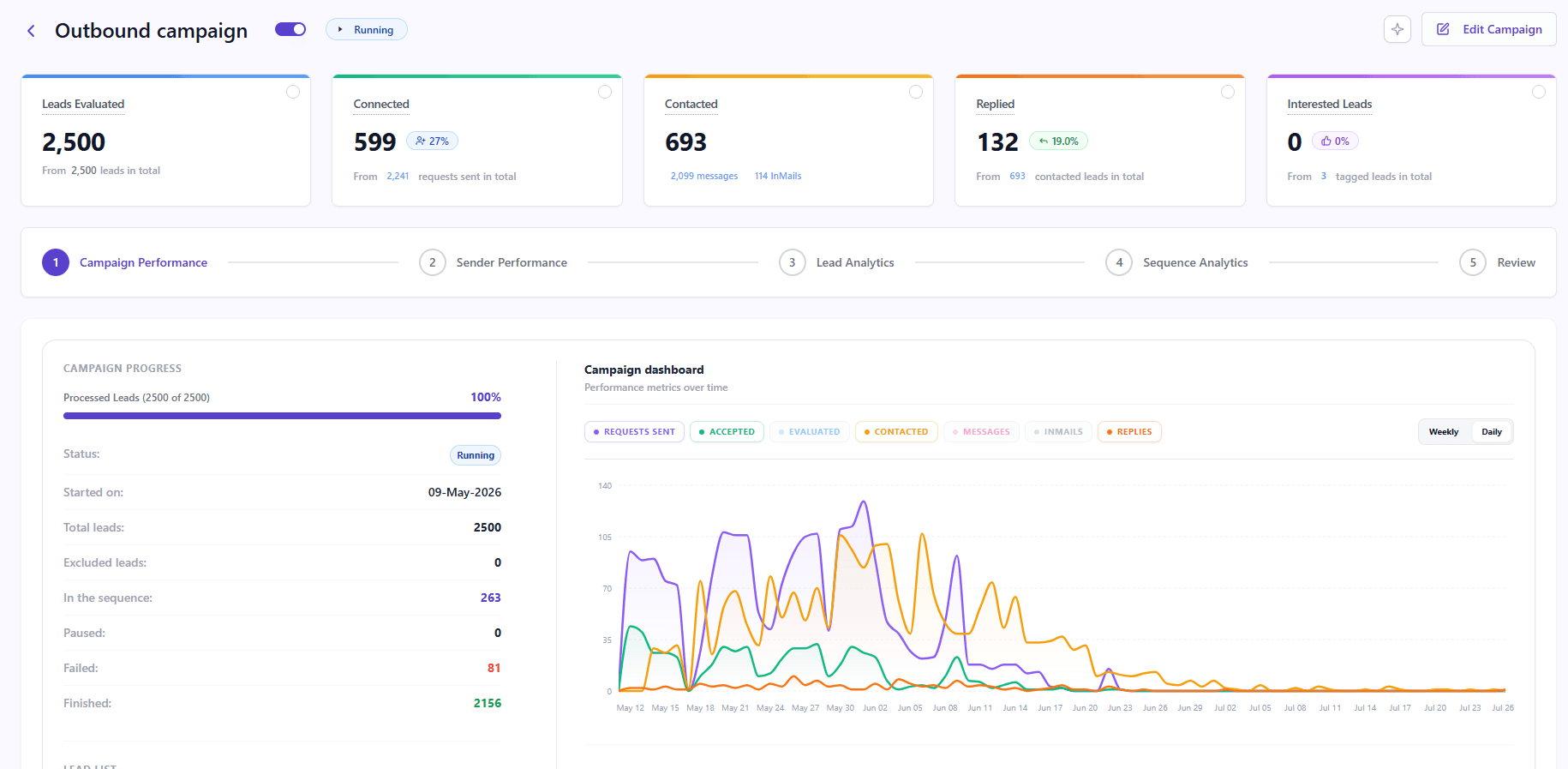
Linked Helper runs on Windows, macOS, or Ubuntu. Close the lid, lose the connection, or restart the operating system and the campaign stops. Its recommended workaround is a VPS or dedicated server—more infrastructure for your team to operate.
OutFlo executes in the cloud with a managed residential IP in a stable region. Your laptop is where you check results, not where the campaign lives.
02 · One licence, one account, one campaign
The safe way to scale volume is the one thing a desktop tool cannot do
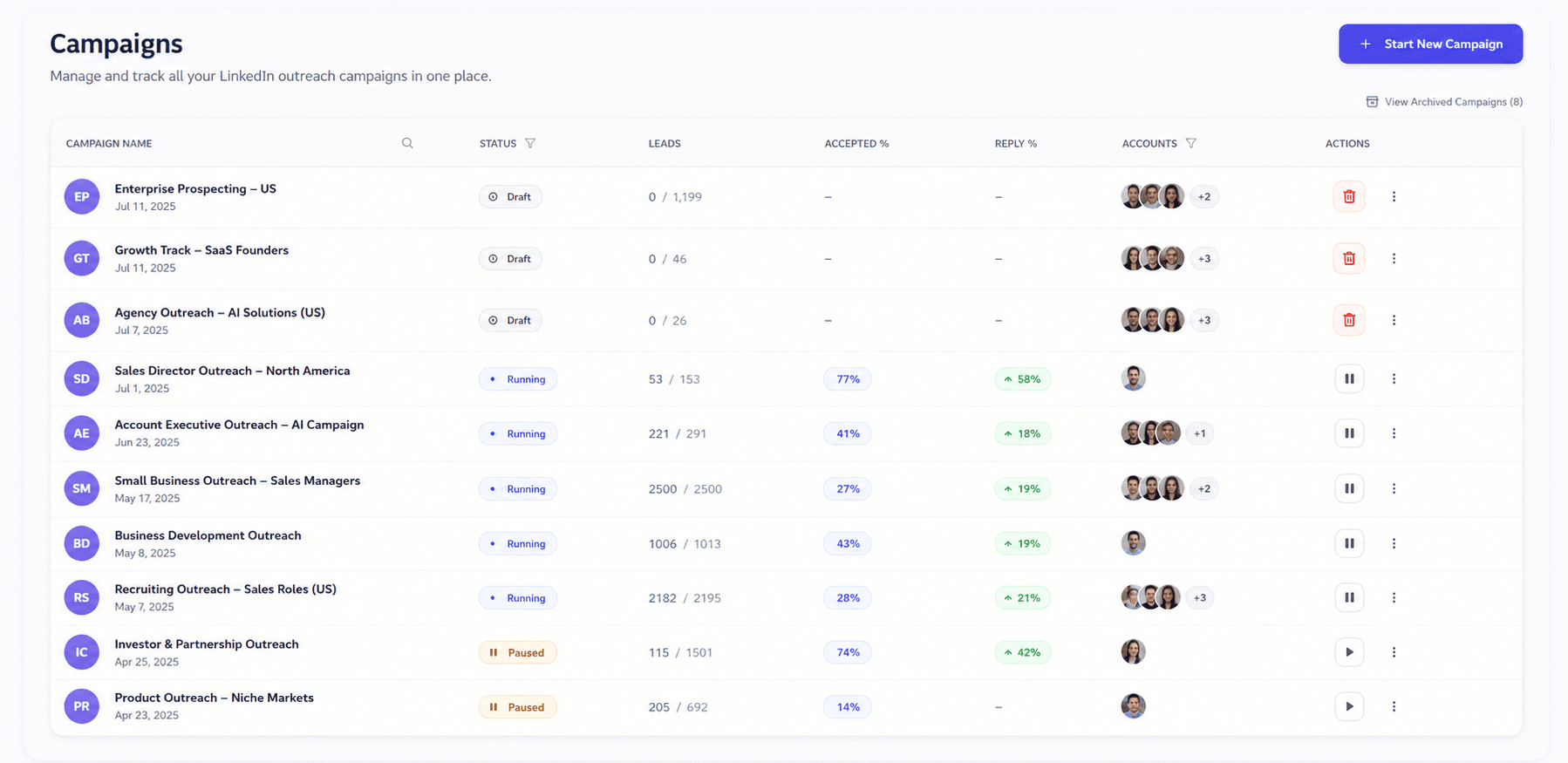
LinkedIn limits are per account. Linked Helper still ties each campaign to one account instance, so five senders mean five campaigns and five sets of edits.
OutFlo lets unlimited LinkedIn senders contribute to one campaign with account-level quotas. Add another account to a running campaign without rebuilding it.
03 · One inbox, not one per account
How many places do you check replies today?
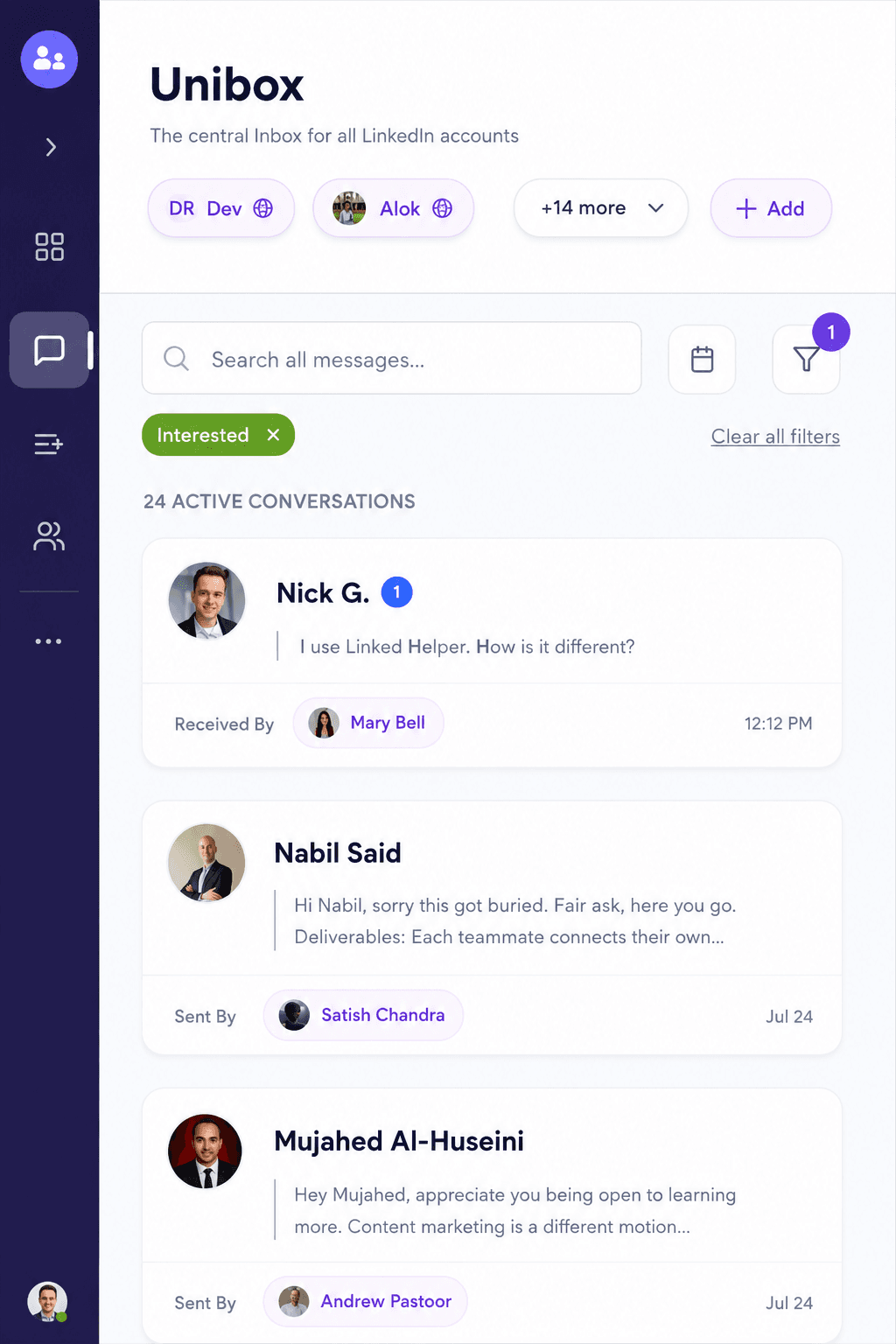
Linked Helper brings LinkedIn, Sales Navigator, and Recruiter messages together inside one account. It does not combine replies across all your client or sender accounts.
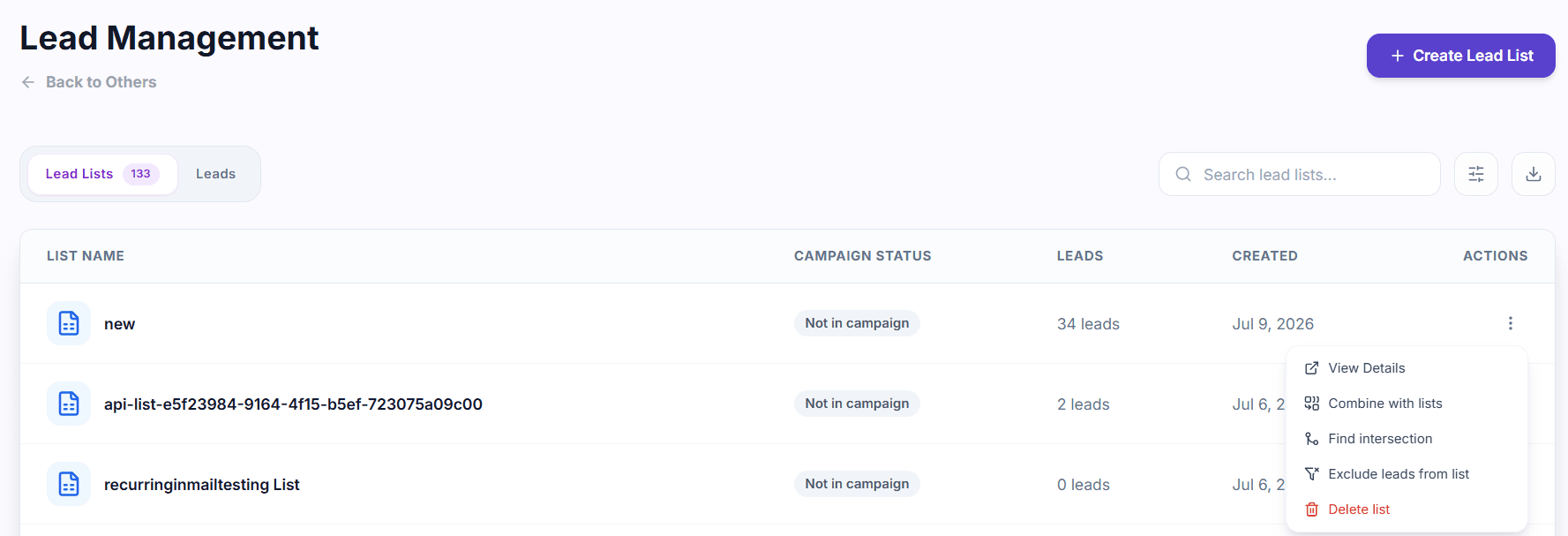
OutFlo’s Unified Smart Inbox pools every conversation, with tags, statuses, assignments, and Claude-assisted reply drafts in one queue.
04 · What it actually costs to run
The licence is the cheapest line on the invoice
Linked Helper’s $15 entry price is genuinely good. The operating bill also includes concurrent licences, always-on servers, dedicated proxies, Sales Navigator where needed, and the hours spent maintaining the stack.
| Connected accounts | Linked Helper Pro monthly | Plus infrastructure | OutFlo |
|---|---|---|---|
| 1 | $45 | Own machine or small VPS | $49 |
| 5 | $225 | Server + 5 proxies | Growth |
| 10 | $450 | Dedicated server + 10 proxies | Growth |
| 20 | $900 | Dedicated server + 20 proxies | $699 Booster (25 accounts included) |
For one account on a machine that already stays on, Linked Helper can be cheaper. The economics usually change with the second concurrent account or the first campaign that must run after hours.
05 · You are the proxy admin
Geo-matching a proxy per account, before you send a single message
Linked Helper gives you a Proxies tab, but not the proxies. Your team sources a dedicated provider, matches geography, stores credentials, and monitors health.
OutFlo includes a managed dedicated residential IP for each connected account, with regional separation handled as part of the platform.
06 · Static caps versus pacing that reacts
Somebody has to decide the daily number
Linked Helper offers rolling caps, work hours, and randomized delays. You choose the numbers and continue checking whether they are working.
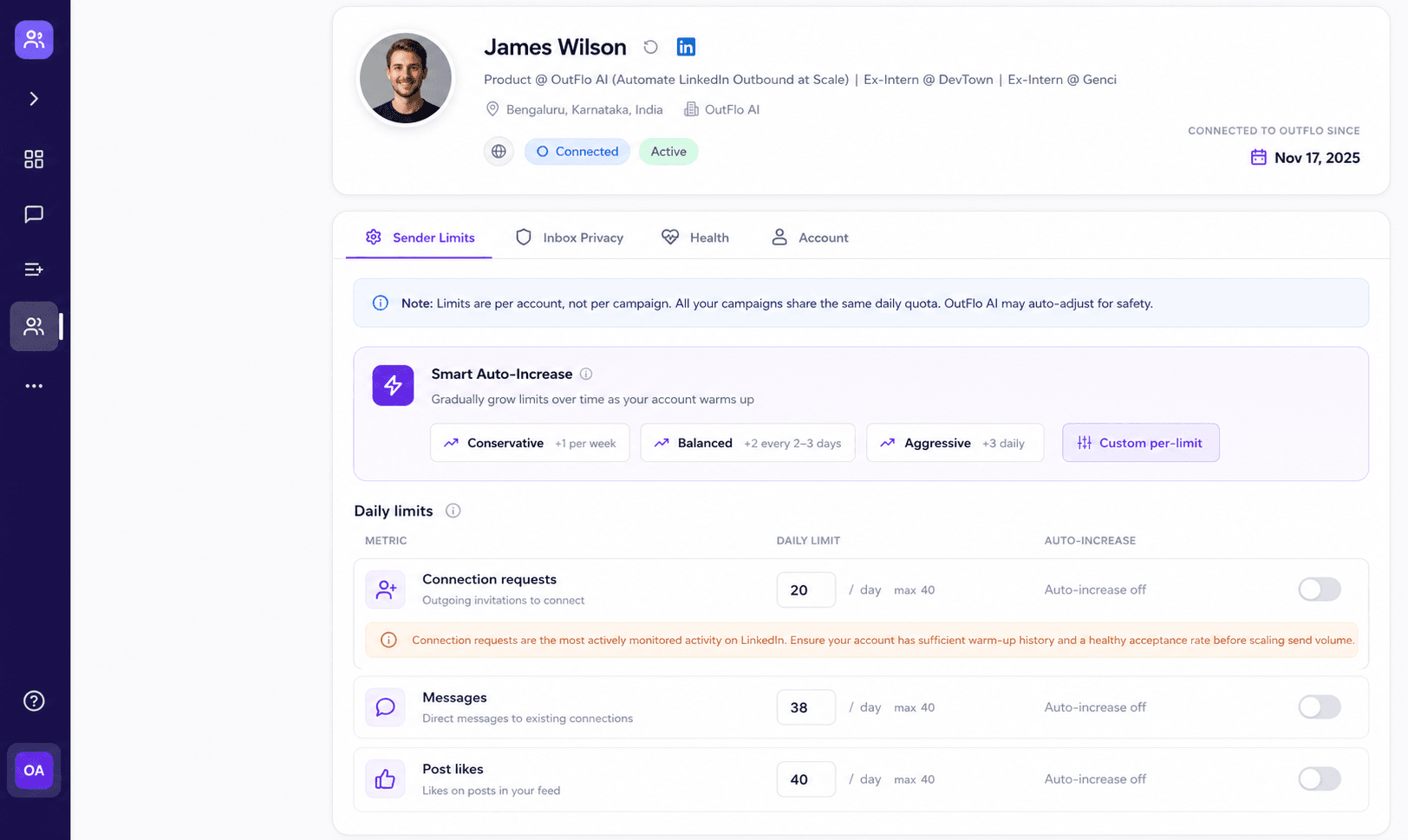
OutFlo Smart Auto-Increase can begin at 10 invitations per day, add two every two to three days, and pause the ramp if acceptance drops below 20%.
07 · AI that is native rather than metered
They added AI. We built around it.
Linked Helper supports AI messages, comments, ICP work, and enrichment through a tier-based monthly credit pool. It remains a template-led workflow.
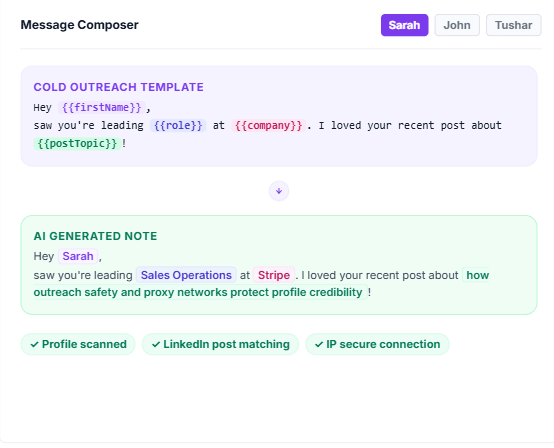
OutFlo generates messages at send time from the lead’s current headline, experience, bio, and posts. It also drafts inbox replies, creates personalized voice notes, and sends 100+ free Open Profile InMails per connected account without an AI-credit meter.
08 · Run the whole thing from Claude
An AI control layer, not just AI features
OutFlo exposes its campaign and inbox operations through a REST API and MCP at mcp.outflo.io. Claude can add leads, launch a campaign, tag conversations, draft replies, and pull analytics.
Linked Helper offers webhooks, Zapier, and native CRM integrations on eligible plans, but not an assistant-level control surface. Explore OutFlo MCP access.
09 · Setup and onboarding
How long before a new account is actually sending?
Linked Helper’s flexibility comes with a learning curve: install the application, configure the instance, proxy, limits, and campaign, then repeat for each account.
OutFlo connects through a Chrome extension using the existing LinkedIn session. No password is shared, and a typical account is ready in about a minute.
10 · On safety, since Linked Helper raises it first
The extension argument, answered directly
Linked Helper has invested years in its safety architecture, including rolling limits and avoiding a conventional browser extension. That deserves to be stated plainly.
OutFlo’s extension is only the connection step. Campaign execution happens server-side, without page injection during campaigns, using a dedicated IP and adaptive pacing. The operational responsibility moves from the user to OutFlo.
11 · Support
A ticket queue, or the person who wrote the feature
Linked Helper has deep documentation, email and widget support, and nine years of operational history. OutFlo gives teams a dedicated Slack channel with the founders, onboarding calls, reconnect help, and direct input into product priorities.
12 · Full comparison
OutFlo versus Linked Helper
| Capability | OutFlo | Linked Helper |
|---|---|---|
| Architecture | Cloud; campaigns run 24/7 | Desktop; the machine must stay on |
| Runs while machine is off | Yes | Only through a VPS you administer |
| Accounts per campaign | Unlimited senders in one campaign | One campaign per account |
| Inbox | Unified Smart Inbox across accounts | Unified within one account only |
| Duplicate prevention | Lead Lists with Find Intersection and Exclude | Managed manually per instance |
| Send limits | Smart Auto-Increase adapts to acceptance | Static caps configured by the user |
| Residential IP | Included and managed | Self-sourced and geo-matched |
| Credentials | LinkedIn password is never requested | Session runs inside the desktop app |
| Message generation | Generated at send time from live profile context | Tier-based AI credit pool |
| AI reply drafting | Yes, inside the inbox | Not included |
| AI voice notes | Yes | Not included |
| Free InMail to Open Profiles | 100+ monthly per connected account | Credit-dependent |
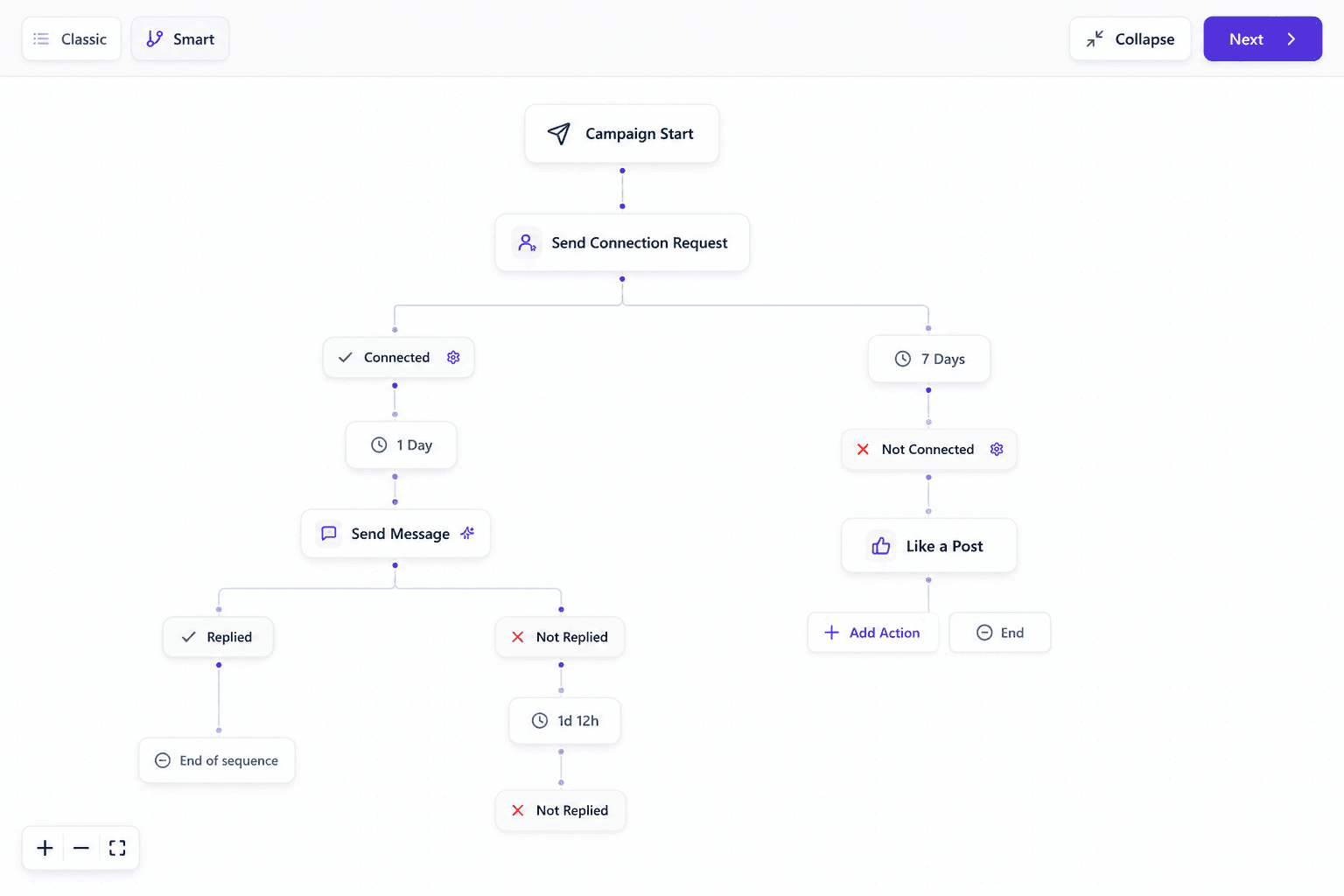
| Sequence triggers | Behavior branches with timer fallbacks | Largely timer-based |
| MCP and Claude | Full MCP control layer | Not included |
| Setup | About one minute | Install, configure, and learn |
| CRM and automation | HubSpot, webhooks, REST API, and MCP | Native CRM integrations and webhooks |
| Feature breadth | Focused outreach operating system | Broad set of 31 LinkedIn actions |
| Email finding and enrichment | Connect Clay, Apollo, and other tools | Native credit-based tools |
| Post engagement | Core outreach workflows | Extensive, including Boost Post |
| Support | Dedicated Slack with the founders | Documentation and 24/7 email support |
| Entry price | $49 per connected account | $15 Standard or $45 Pro monthly |
| Track record | Newer platform | Nine years in market |
13 · When Linked Helper is the better choice
We would rather you pick right than pick us
Choose Linked Helper if you run one account on a machine that already stays on, want every byte stored on hardware you control, or need its broad collection of specialized LinkedIn actions.
The switch point usually arrives when you add a second concurrent sender, need weekend execution, clone one campaign across five accounts, or no longer want server and proxy maintenance in the job description.
14 · Frequently asked questions
Before you switch
Yes. OutFlo is designed around the agency operating model: multiple LinkedIn accounts can contribute to one campaign, while every reply lands in one shared inbox.
Close the laptop. Keep the campaign running.
Connect every sender to one cloud workspace, one campaign, and one inbox.