
Adding a second LinkedIn sender account is worth doing the moment one of four thresholds trips: you need to reach more than 100 new prospects per week, you're spending more than 8 hours per week on outbound from a single account, you want to run outreach to two distinct personas that need different voices, or your primary LinkedIn account is your work identity and you don't want to risk it on high-volume outbound. Below any of these thresholds, a second sender adds overhead without adding pipeline. Above them, staying on one account is what caps your growth. The math on when to expand is more specific than most guides admit, and the failure mode of waiting too long is not "slower growth," it's a set of concrete bottlenecks that break in a predictable order.
This piece walks through the four thresholds, the specific bottlenecks each one exists to prevent, and the hidden cost of adding senders that most teams underestimate: reply management does not scale linearly.
Why "just add another account" is the wrong framing
The standard advice on scaling LinkedIn outreach is "add more sender accounts." True but incomplete. Adding a second account works only if the reason for adding it is one of the four below. Add it for the wrong reason and you have doubled the sending surface while inheriting all the problems that come with it: inbox management across two accounts, two profiles to warm and maintain, two identities to keep consistent, and no unified view of who has said what to whom.
The "when to add" decision is a diagnosis, not a scaling reflex. Here are the four situations where the diagnosis is clear.
Threshold 1: Volume ceiling (>100 new prospects per week)
LinkedIn caps a single account at roughly 100 connection requests per week and roughly 150 messages per week. Those are not soft limits you can push through with better tooling. They are the platform's practical ceiling before restriction risk rises sharply.
The math: 100 connection requests per week, at a healthy 25 to 30 percent acceptance rate, gives you 25 to 30 new conversations to work per week. If your ICP is broad enough or your average deal cycle short enough that you need more top-of-funnel volume than this, you have hit the ceiling. No amount of sequence tuning changes it.
What breaks if you push past it on one account: LinkedIn's "please slow down" warnings first, then temporary restrictions, then permanent flags. Every founder or agency who has run outreach for more than a year has a story about pushing 40 to 50 connection requests per day on a single account for three straight weeks and losing the account.
When to expand: the week your prospecting list requires more than 400 total connection touches per month, add a second sender. Do not try to make one account carry it.
Threshold 2: Time-on-outbound (>8 hours per week from one account)
If your outbound work from a single account is eating more than 8 hours per week, adding a second sender does not fix it. Adding a sender adds work, it does not remove it, unless the second sender is a different person or an automation layer is doing the reply drafting.
The math: sending 100 connection requests per week and managing the resulting 25 to 30 conversations takes about 6 to 8 hours per week if you have templates that work and a system for triage. Above that, you are either underprepared (no templates, no ICP filter, writing every message from scratch) or you are doing the reply work manually thread by thread. Either way, doubling the volume doubles the problem.
What breaks if you ignore it: the time cost compounds. Replies that need a same-day response go stale, warm leads cool off, and the founders or reps running the outreach start context-switching between building the product or closing deals and doing message triage. Pipeline quality drops even as pipeline volume goes up.
When to expand: when you cross 8 hours per week on outbound from one account, decide whether the next hour goes into a second sender or into automation on the current one. Adding capacity without addressing where the time is actually going just spreads the problem across more accounts.
Threshold 3: Persona split (two distinct buyer personas)
If you sell to two meaningfully different personas (e.g., CEOs of Series A startups and Heads of Sales at 200-person orgs), running both campaigns from the same LinkedIn identity is a mismatch. A "Founder & CEO" profile messaging junior buyers gets awkward acceptance patterns, and a "Head of Sales" profile messaging CEOs looks off in a different way.
The math: no numeric threshold here, it is a fit question. If your two personas would receive credibly different messages from credibly different senders, splitting the outbound between two accounts (each with a profile calibrated to its persona) lifts acceptance and reply rates on both.
What breaks if you don't: acceptance rate on the mismatched persona quietly caps at 15 to 20 percent instead of the 30 to 40 percent you'd get from a well-fit sender. This shows up as "our outreach just isn't working for that segment" when the actual issue is voice-persona misalignment.
When to expand: as soon as you have a second persona you want to reach systematically, run a small experiment. Set up a second sender profile calibrated to the persona and A/B against your primary. If the second sender's numbers are materially better, keep it.
Threshold 4: Identity risk (primary account is your work identity)
If your LinkedIn account is your primary professional identity (the one investors, employees, and industry peers see) running high-volume outbound from it is a real risk. Not because you're doing anything wrong, but because LinkedIn's automation detection is not perfect. Even clean, cloud-based, warmed-up outreach occasionally triggers a restriction. Losing your primary account for a week is bad. Losing it permanently is career damage.
The math: not volume-based, it is a risk tolerance question. If you're comfortable running 30 to 40 connection requests per day from your primary account and treating restriction risk as an acceptable cost, no separate sender needed. If not, adding a "growth" sender account (with its own identity, its own network, its own risk envelope) insulates the primary.
What breaks if you don't: nothing until it does. Then everything. Recovery from a permanent restriction on a primary account is possible but not guaranteed, and the process takes weeks.
When to expand: before you start high-volume outreach on your primary account, not after. This is the one threshold that is easier to prevent than to fix.
The hidden cost: reply management doesn't scale linearly
Adding a second sender is often framed as a doubling: twice the outreach volume, twice the pipeline. The real math is worse.
Sending scales linearly. Two accounts send twice as many messages as one. Reply management does not. Two accounts create replies in two separate inboxes, and if you are logging into two LinkedIn accounts to check replies, the context-switch cost per thread is materially higher than staying in one. Add a third and fourth account and the inbox switching becomes the dominant time sink.
The math that most teams miss:
- 1 account: 25-30 replies per week, 1 inbox to check, roughly 4-6 hours per week on reply work
- 2 accounts: 50-60 replies per week, 2 inboxes to check, roughly 10-14 hours per week (not 8-12) because of switching cost
- 5 accounts: 125-150 replies per week, 5 inboxes to check, roughly 30+ hours per week if you have no unified inbox. Full-time job.
The right threshold to add a unified inbox is not "when I have 5 accounts." It is "as soon as I have 2." A second sender without a unified inbox creates the problem it was supposed to solve.
When NOT to add a second sender
Not every scaling problem is a sender-count problem. Skip the second account if:
- Your acceptance rate on the first account is below 20 percent (fix targeting first, adding volume just multiplies bad targeting)
- Your reply rate on accepted connections is below 8 percent (fix messaging first, more replies to no messages does not help)
- You have not completed a proper warmup on the first account (a fresh second account plus a still-warming first account is two problems)
- Your ICP is narrow enough that 100 prospects per week is genuinely enough (you'll just burn contacts without needing to)
Adding senders is a scaling move, not a diagnostic move. If you have an efficiency problem on the first account, adding a second one hides it, it doesn't fix it.
How OutFlo handles multi-account outreach
The two features that map directly to the thresholds above:
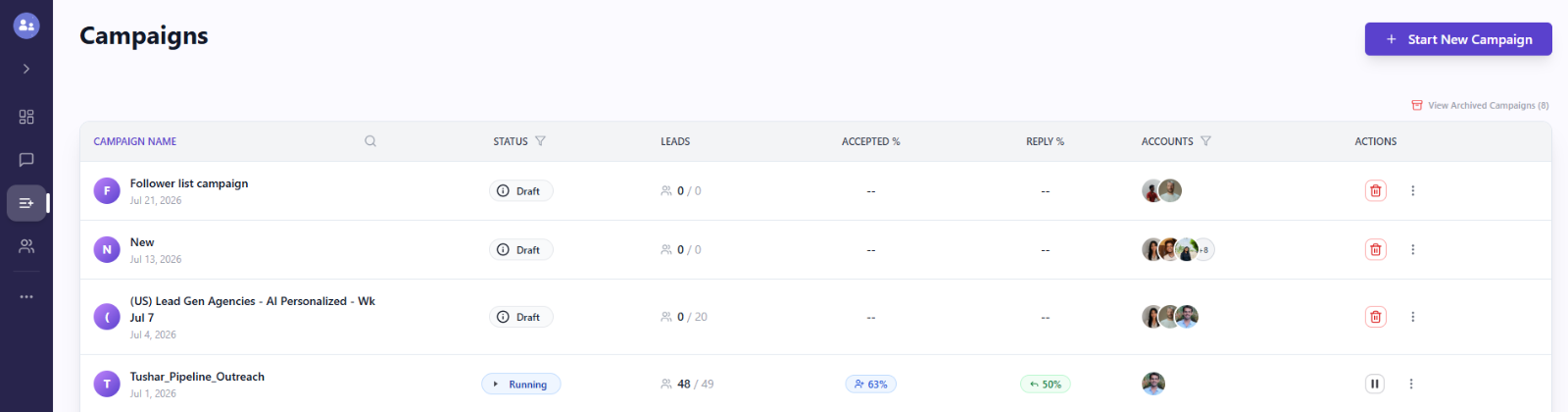
Multi-Account Campaigns let you run a single campaign across multiple sender accounts, with per-account daily limits and per-campaign quota allocation. That means you can set the total daily volume for a campaign and OutFlo distributes it across your senders without any one account exceeding its safe cap. If threshold 1 is why you're expanding (volume ceiling), this is the feature that makes 2 to 20 accounts work like one virtual account. Sender limits are set under Accounts, with a Smart Auto-Increase option that scales the limits as each account warms up.
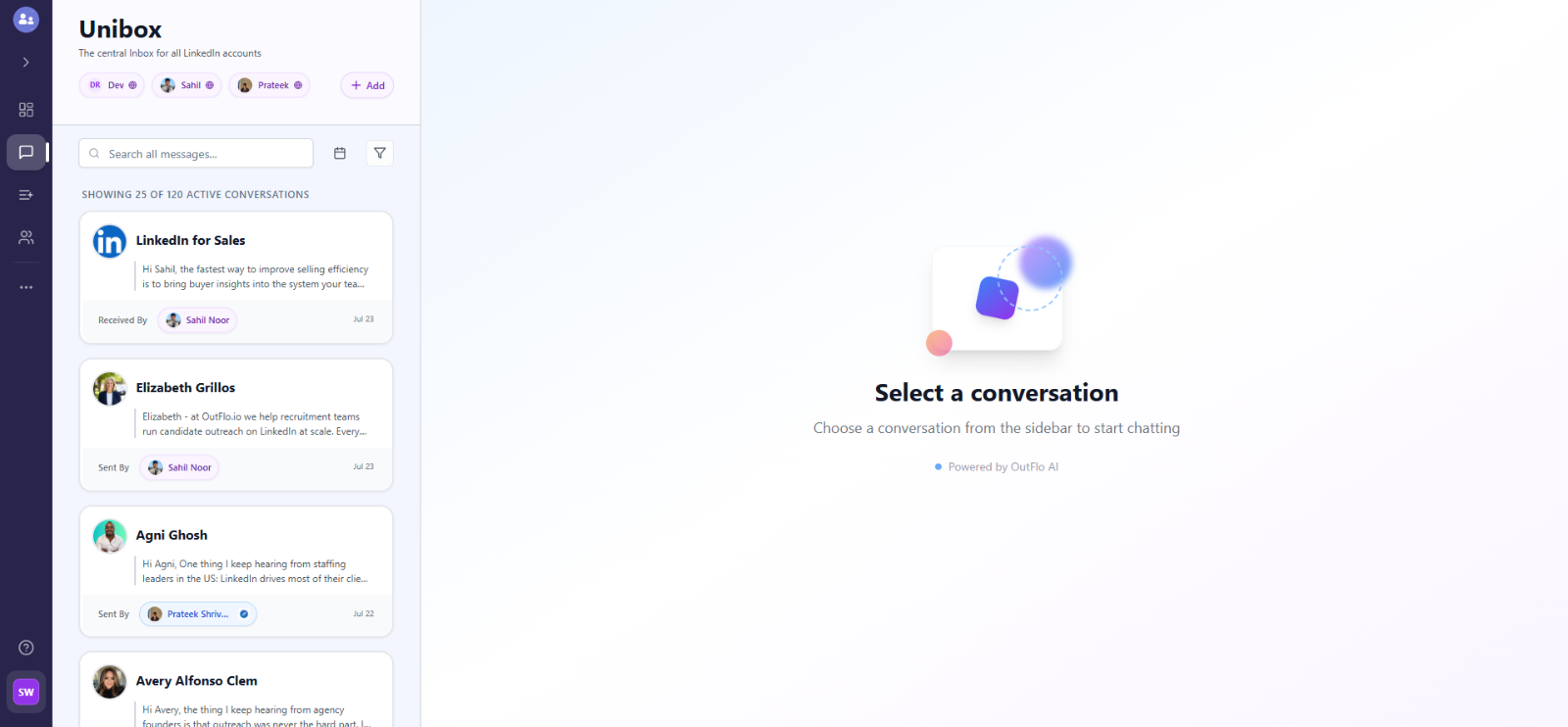
Unified Smart Inbox solves threshold 3's hidden cost directly. Every reply from every connected account lands in one inbox, auto-tagged Interested, Not Interested, or Generic. Filters like Needs My Reply and I Messaged Last let you work the queue without logging into individual accounts. Threads show which sender they came in on, so you keep persona context without losing the unified view.
Together, these mean the point of adding a second sender is upside, not overhead. You add senders when a threshold trips, and the tool absorbs the coordination work that would otherwise cancel out the gain.
FAQ
Common questions
How many LinkedIn sender accounts should a small team have?
For a founder or a founding team of 2, one account each is the starting point. Add a third dedicated growth account only when a threshold above trips. For a 5-person sales team, one primary account per rep plus one or two shared growth accounts (for higher-volume top-of-funnel) is a common pattern. For a lead gen agency, one account per client is the standard model. Do not add more senders than you have thresholds tripped.
Do multiple LinkedIn accounts help me bypass LinkedIn's limits?
Yes, but not the way most people frame it. LinkedIn's caps apply per account, not per person. Two accounts give you two accounts' worth of daily volume, not "unlimited" volume. Anyone selling multi-account outreach as a way to hit "1000 messages per week" is describing an account safety problem waiting to happen. The correct frame: multi-account lets you reach more prospects without pushing any single account past its safe daily cap.
What's the risk of running multiple LinkedIn accounts from the same person or team?
Two risks. First, LinkedIn's terms discourage a single person operating multiple accounts, and the platform can identify shared devices and IP addresses. Cloud-based outreach platforms with unique residential IPs per account (like OutFlo) address the second risk by making each account look like a genuinely separate user session. The first risk (LinkedIn's stated preference) is a policy question, not a detection question, and most agencies and sales teams operate multi-account setups as standard practice. Your risk tolerance may vary.
Can I use the same message template across multiple sender accounts?
Technically yes, and it will work fine for a while. But if all your senders send identical messages, LinkedIn's pattern detection can flag it. Vary the messaging per sender, or better, calibrate each sender to a slightly different angle (industry focus, seniority focus, use case focus) so the multi-account setup adds diversity, not just volume. Tools with AI personalization that pulls per-prospect context solve this by default because no two messages are identical.
When does a founder-run outreach setup outgrow founder-led execution?
The signal is not sender count, it's when the founder is spending more time in the LinkedIn inbox than in customer conversations. That threshold usually hits somewhere between 3 and 5 sender accounts, or around 60 to 80 active conversations per week. Below that, founder-led is still the highest-converting approach because the founder is the one closing. Above it, the founder needs to either hire someone to work the inbox or hand it off to a tool that handles the triage and drafts, which is where a unified inbox plus AI-drafted replies pays for itself.
