
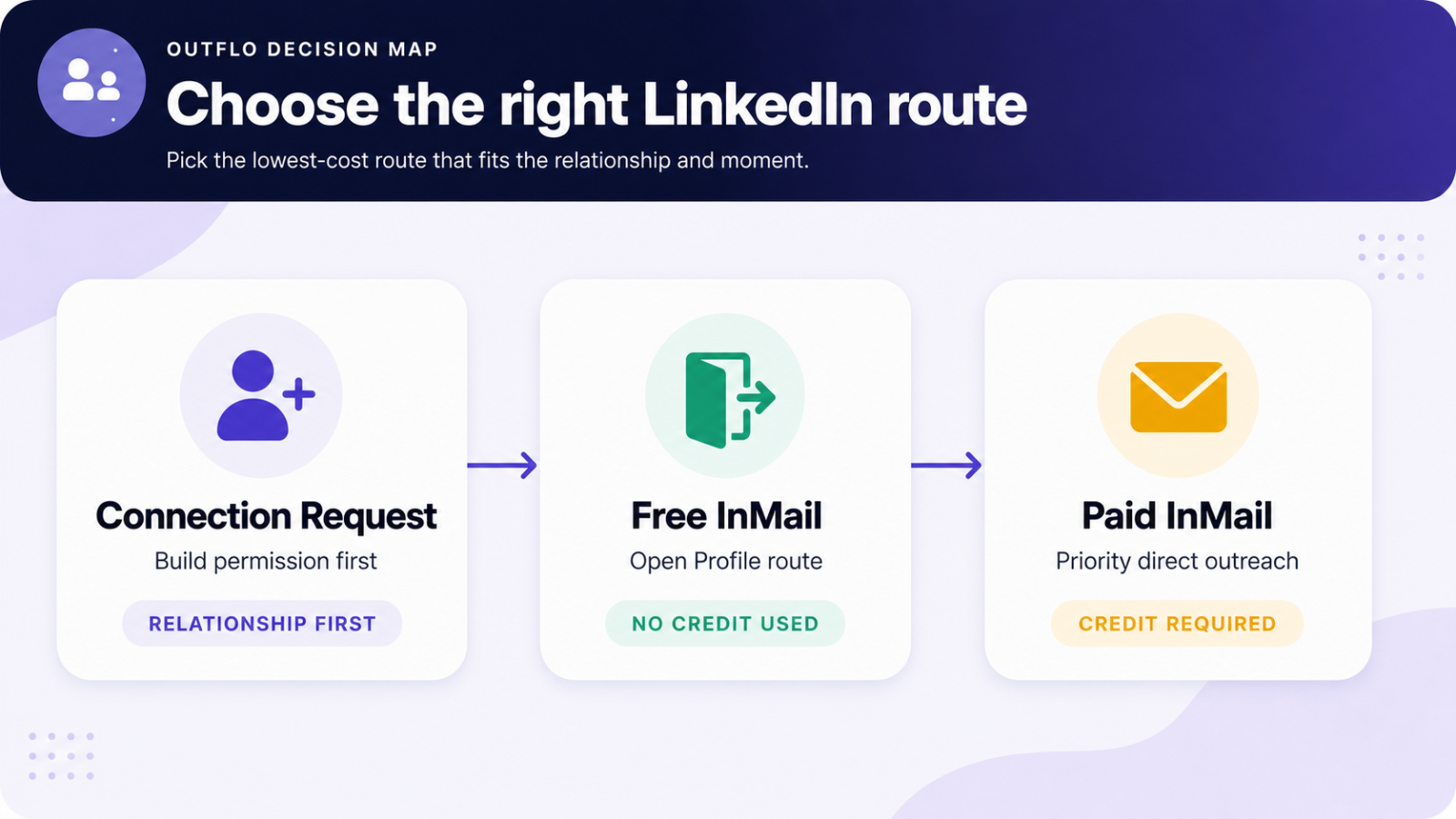
A LinkedIn connection request starts a relationship. InMail gives you a direct route to someone outside your network. Use a connection request when you can earn the conversation, use a free Open Profile message when LinkedIn makes that route available, and use paid InMail for high-priority prospects with a timely reason to hear from you now.
The best channel is not a matter of preference. It depends on the relationship, the urgency of the outreach, and the value of getting a response now. This guide gives you a practical decision framework, the current LinkedIn limits that shape each route, and a way to measure which approach works for your market.
The quick decision
Send a connection request when the prospect is relevant, the conversation can wait for acceptance, and you want to build a normal messaging route without spending credits.
Send a free InMail when LinkedIn shows an Open Profile route for that prospect. It reaches a non-connection directly and uses no paid InMail credit.
Send a paid InMail when the prospect is strategically important, your message has a real trigger, and waiting for a connection acceptance would make the outreach less useful.
What changes between a connection request and InMail?
A connection request is an invitation to become a first-degree connection. Once the person accepts, you can use ordinary LinkedIn messages. The invitation asks the prospect to grant access before the sales conversation starts.
An InMail is a direct message to someone outside your first-degree network. LinkedIn may deliver it through a free Open Profile route or require an eligible paid InMail credit. A paid InMail starts the conversation immediately, while a connection request asks for a smaller first commitment.
Relationship goal: Connection requests build familiarity first. InMail starts a direct conversation with a non-connection.
Cost: Connection requests use no InMail credit. Open Profile messages use no paid credit. Paid InMail uses one eligible credit.
Timing: A connection request requires acceptance before you have a normal message thread. InMail can reach the prospect immediately.
Best fit: Connection requests work well for broad, relevant outreach. InMail earns its place in a smaller, more intentional list.
When a connection request should be your first move
For most cold LinkedIn outreach, a connection request is the sensible default. It is a lightweight introduction and creates a durable messaging route when accepted.
Use a connection request when:
- You can point to a shared context, such as a post, event, mutual connection, hiring plan, role, or industry problem.
- The prospect matters, but there is no immediate trigger that requires a same-day message.
- You are working through a wider audience and want to protect paid InMail credits for priority accounts.
- Your LinkedIn profile already makes your role and relevance clear.
- You have a thoughtful follow-up ready for the moment the person accepts.
The invitation itself should stay small. Its job is to make acceptance feel reasonable, not to explain your entire offer. A profile that communicates who you help and why you are credible often gives the recipient enough context to accept a simple request.
Should you add a note to a connection request?
A note helps when it provides a real reason for connecting. LinkedIn's current guidance allows up to 200 characters in a personalized invitation. Basic members can add a note to up to three connection requests per month, while Premium members can add personalized messages to unlimited invitations. LinkedIn can still apply overall connection-request limits to every membership type.
Source: LinkedIn Help: personalized invitations
Use a note when you can clearly answer, "Why this person, why now?" in one sentence. A shared event, an observation about their team, or a response to their post gives the recipient a useful signal.
Keep the note clear of a product pitch. A request that tries to sell before acceptance asks for more attention than the format can support.
When InMail is the better route
InMail suits prospects where direct access matters more than waiting for a new connection. A senior buyer after a funding announcement, a hiring leader with an active role, or an account responding to a clear market trigger may deserve a message now.
Use InMail when:
- The person is a decision maker or a key influencer in a valuable account.
- You have a timely, verifiable reason to contact them.
- Your message can state its relevance in one or two sentences.
- A delay would reduce the value of the conversation.
- You can explain why this prospect is worth the credit before you send it.
Paid InMail works best as a focused route, not as a replacement for thoughtful targeting. LinkedIn's Sales Navigator guidance also says InMail cannot be sent in bulk to multiple leads and does not support InMail templates, which reinforces the value of a selective, personalized approach.
Source: LinkedIn Help: Sales Navigator InMail
Free InMail, Open Profile, and paid InMail
Free InMail is commonly used to describe a message sent through LinkedIn's Open Profile route. Open Profile is a Premium setting controlled by the recipient. When LinkedIn makes that route available, you can contact that Premium member without using a paid InMail credit.
Normal LinkedIn message: This route is for first-degree connections. It does not use an InMail credit.
Open Profile message: This reaches an eligible Premium member outside your network without using a paid credit. LinkedIn says it limits the number of Open Profile messages a sender can send during a time period, but does not publish a single universal quota.
Source: LinkedIn Help: Open Profile messages
Paid InMail: This reaches a non-connection when the free route is unavailable and you have an eligible credit. Basic LinkedIn accounts need a Premium subscription to use paid InMail. LinkedIn's standard composer allows a subject of up to 200 characters and a body of up to 2,000 characters.
Source: LinkedIn Help: InMail messages
Open Profile availability can change. A route that appears available when you research a prospect can be unavailable later, and a closed route can become available. Treat it as a live LinkedIn condition, not a permanent lead-data field.
How to choose the route for each prospect
Use this five-step check before building a sequence:
1. Are you already connected? Send a normal LinkedIn message. It is the simplest route.
2. Does LinkedIn offer an Open Profile message? Use the free route when a direct conversation makes sense.
3. Is the prospect high priority? Evaluate the account value and the person's influence on the buying decision.
4. Is there a timely reason to contact them? Use a real trigger, such as a role change, hiring activity, funding, an event, or a public initiative.
5. Would waiting reduce the value of the message? Choose paid InMail only when direct timing matters enough to justify the credit.
This framework keeps paid InMail attached to a clear business decision. It also helps teams preserve credits for the accounts where speed and relevance have the strongest upside.
How the writing should change by route
The format changes the message. A connection request asks for permission, so one line of context is usually enough. An InMail needs to earn attention inside the message itself.
Connection request: Mention the shared context and make the invitation easy to understand. Example: "Saw your team is expanding its enterprise sales team. Thought it would be useful to connect."
Free or paid InMail: Lead with the specific reason for the message, then ask one simple question. Example: "Your team is hiring enterprise SDRs while expanding into Europe. Are you still managing LinkedIn outreach sender by sender?"
Avoid a long product description in either format. The first message should create a reason to reply. A concrete observation, a relevant question, and a clear next step will carry more weight than generic role and company personalization.
What to measure
Each route has a different job, so it needs different measurement.
Connection requests: Track acceptance rate, the share of accepted connections who receive a follow-up, and reply rate after acceptance.
Free InMail: Track reply rate and the number of qualified conversations created. The route has no paid credit cost, but it still needs relevant targeting and message quality.
Paid InMail: Track qualified replies per credit spent, meetings created per credit, and pipeline influenced per credit. A strong reply rate matters, but commercial outcomes show whether the credit was well used.
Review the results by segment, trigger, offer, and sender profile. This gives you a clearer operating view than treating every LinkedIn action as the same type of touch.
Where OutFlo fits
OutFlo Smart Sequences help teams turn this route selection into an outreach workflow across connected LinkedIn accounts.
- Send Free InMail uses only the free Open Profile route. Use it when a paid credit should never be spent.
- Send InMail checks the live LinkedIn route immediately before the action. When an eligible Open Profile route is available, it sends the free message. When it is unavailable, it can use paid InMail for an assigned Sales Navigator sender with available credits.
- Connection-aware routing keeps existing connections on normal LinkedIn messages.
- Reply handling stops the sequence after a prospect responds so a person can take over the conversation.
OutFlo does not show a bulk Open Profile status while you build a campaign. That status is not reliable lead data because it can change between campaign setup and the moment of sending. OutFlo checks the available route just before the selected action runs.
Start your free OutFlo trial · 8-day free trial, no credit card, connect an account in about a minute.
The bottom line
Start with a connection request when the opportunity can develop through a lighter introduction. Use a free Open Profile message when LinkedIn offers the route. Choose paid InMail for prospects where the account value, message relevance, and timing justify direct access.
The strongest LinkedIn motion uses each option for the job it does best. Connection requests create permission. InMail creates immediate access. A clear decision framework keeps both routes deliberate and measurable.
8-day free trial · No LinkedIn password · One-minute setup
FAQ
Common questions
What is the difference between a LinkedIn connection request and InMail?
A connection request asks someone to become a first-degree connection. After they accept, you can send regular LinkedIn messages. InMail lets you contact a non-connection directly, either through a free Open Profile route or with a paid InMail credit.
Should I send a connection request or InMail first?
Start with a connection request when the prospect is relevant but the conversation can wait for acceptance. Use InMail when there is a timely reason to contact a high-priority prospect now, such as hiring activity, funding, a role change, or an active initiative.
What is a free InMail on LinkedIn?
A free InMail is commonly used to describe a message sent through an eligible Open Profile route. If LinkedIn makes that route available for a prospect, you can message them directly without using a paid InMail credit.
Does an Open Profile message always stay free?
It is free when LinkedIn offers the Open Profile route at the moment you send. Open Profile availability can change, so it should be treated as a live LinkedIn condition, not permanent lead data.
Do I need Sales Navigator to send a free InMail?
No. Free Open Profile messaging depends on the recipient’s Open Profile eligibility and LinkedIn’s available route. Sales Navigator is required for Sales Navigator paid InMail, not for every possible free message.
When should I use paid InMail?
Use paid InMail for high-value prospects where waiting for a connection acceptance could reduce the value of the message. Keep it focused on prospects with a clear reason to hear from you now.
Does paid InMail use a credit when a prospect has an Open Profile?
LinkedIn can use the free Open Profile route when it is available. In OutFlo, the Send InMail action checks the live route immediately before sending. It sends free InMail for eligible Open Profiles and uses a paid credit only when needed and available for the assigned Sales Navigator sender.
