
Faster follow-up after a website visit
Your team can reach out while a visitor’s interest is still recent. Warm sends identified people directly into OutFlo campaigns, removing the delay of exporting, preparing and importing a CSV.
We use essential technologies to keep this site running. With your permission, we also use analytics, advertising, and functional tools to understand and improve it.Read our Privacy Policy
Send people identified on your website directly from Warm AI to your OutFlo LinkedIn campaigns.
 Warm+
 OutFlo
Website visitor research and LinkedIn outreach.
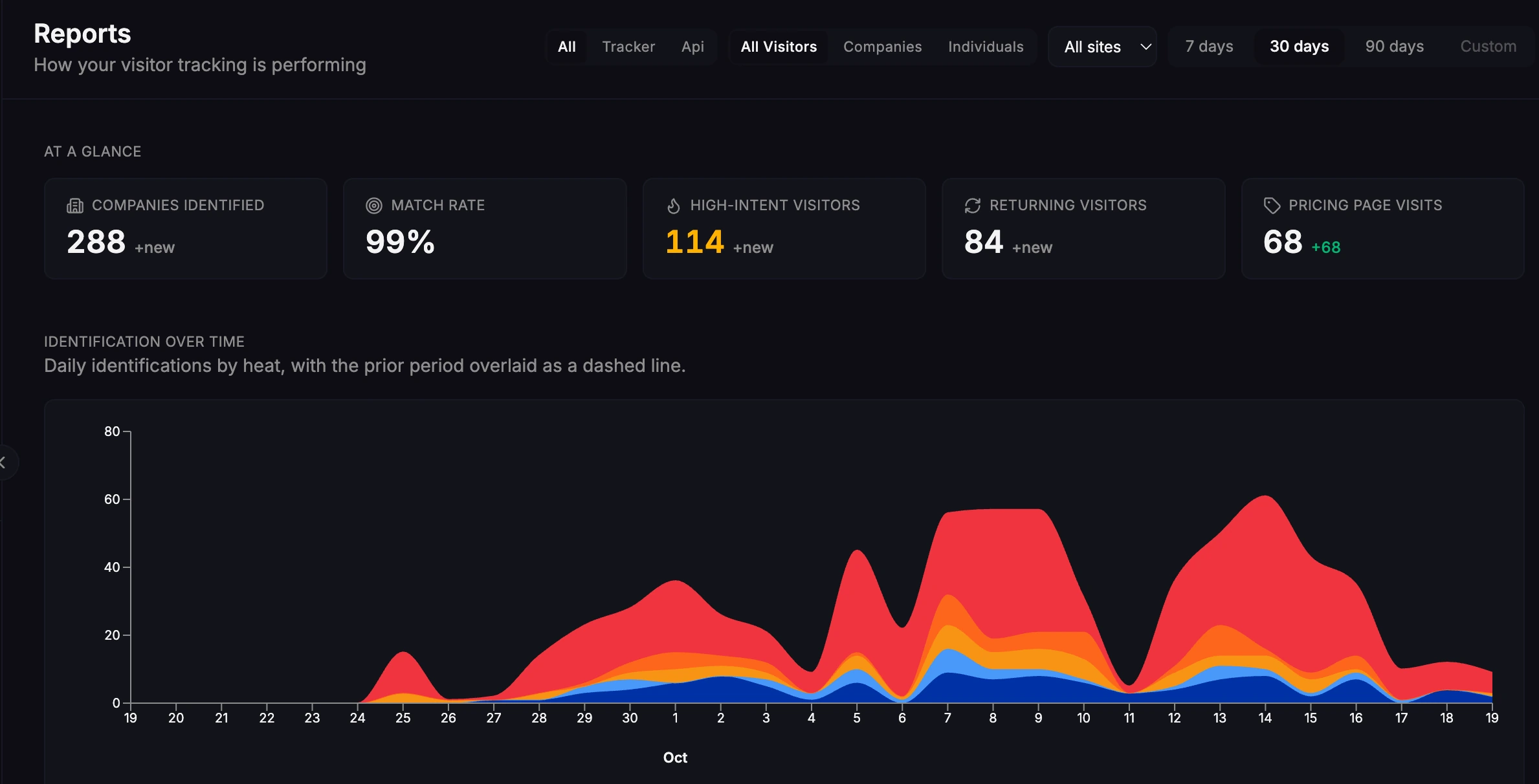
Warm AI connects identified companies to their activity on your website, including pages viewed and return visits. Company context helps your team investigate the accounts behind that interest.
At OutFlo, we use it to review website activity and receive visitor alerts in Slack. It gives our team a useful starting point before deciding whether to follow up.
Read how we use Warm AIA return to your pricing page can be a reason to research an account. Look at the company and its journey together before deciding what comes next.
From our existing Warm AI guide. Report captured October 19, 2026; these are historical activity figures, not sales outcomes.
Follow up sooner, make your messages more relevant and stay in control of outreach.
Your team can reach out while a visitor’s interest is still recent. Warm sends identified people directly into OutFlo campaigns, removing the delay of exporting, preparing and importing a CSV.
Someone returning to pricing may need a different message from someone exploring your product. Warm’s segment routing connects each group to a separate OutFlo campaign, so your outreach can reflect what they have been looking at.
An identified visitor does not have to receive a message immediately. Paused campaigns give your team time to review incoming leads. Running campaigns can start their sequence as people arrive, when immediate follow-up is what you want.
Warm sends named people identified in the US. Company-only visitors, including UK and EU visitors, are not sent to OutFlo.
You need a Warm account with website tracking installed, an OutFlo account, a campaign and an OutFlo API key. Setup happens inside Warm.
Read the setup instructionsCopy your OutFlo API key from Settings, Integrations, OutFlo API. In Warm, open Integrations, choose OutFlo and save the key.
Select an OutFlo campaign. Optionally, add routing rules to send different Warm segments to different campaigns. Keep campaigns paused if you want to review leads first.
Turn on the connection to send matching identified visitors automatically. You can also open a person’s contact card in Warm and send them to a campaign individually.
A real visitor journey, our report and the Slack alerts we use to spot returning accounts.
See the reportSETUP GUIDELearn how to connect your OutFlo account in Warm and send identified visitors to a LinkedIn campaign.
Read the integration guideBring your research into a LinkedIn workflow your team can review and manage.